Run your service business free.
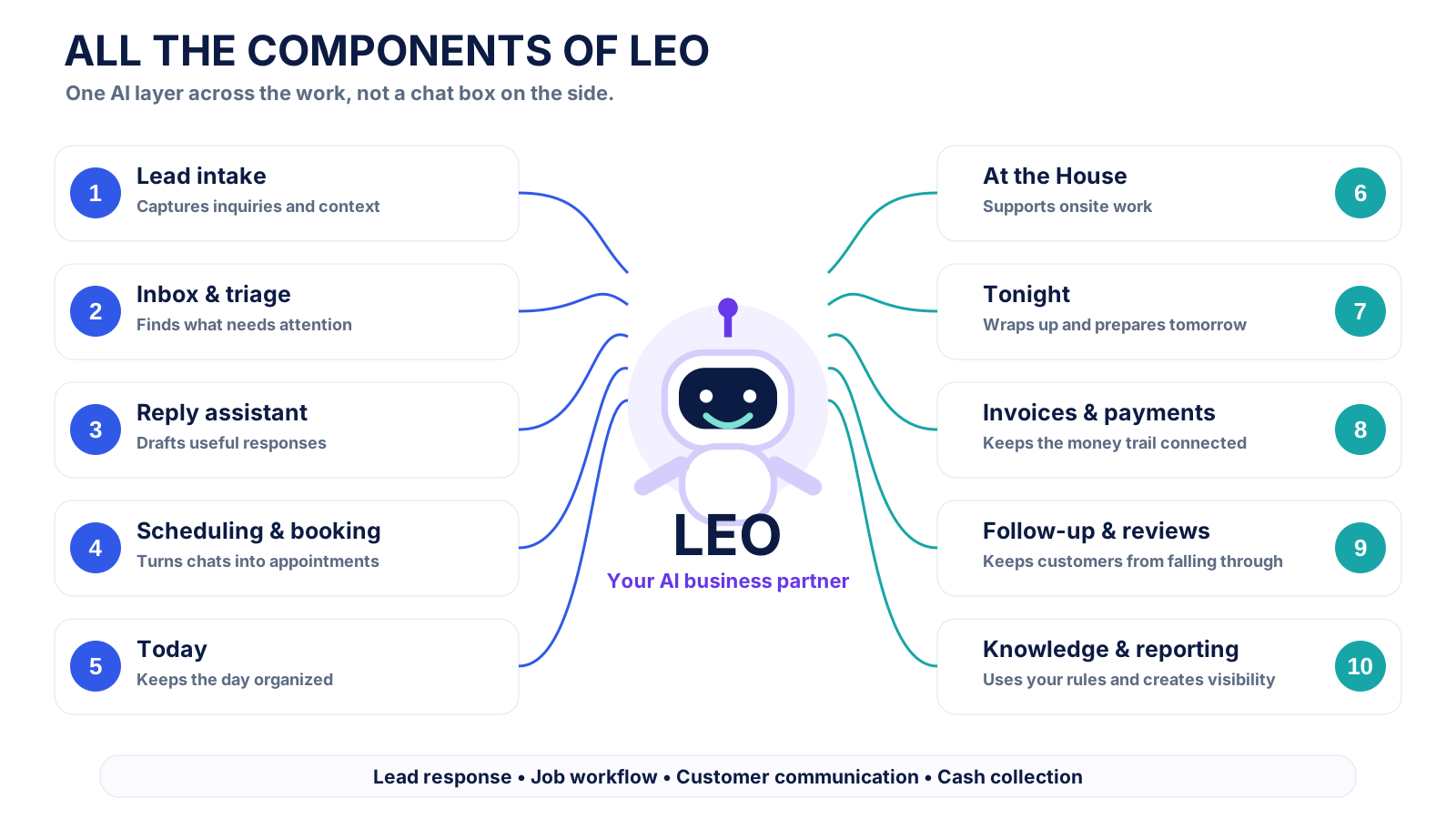
HandyDesk keeps the ordinary business software simple. Leo is woven through the work, helping with leads, scheduling, field context, invoicing, follow-up, and the next thing that needs you.
Stop overpaying for the database. Put more of the budget toward intelligence.
Traditional CRMs monetize feature gates, seats, and add-ons. HandyDesk keeps the core operating system free, then bundles the business line, custom domain, no HandyDesk card transaction fee, and more Leo capacity into one Operator plan.
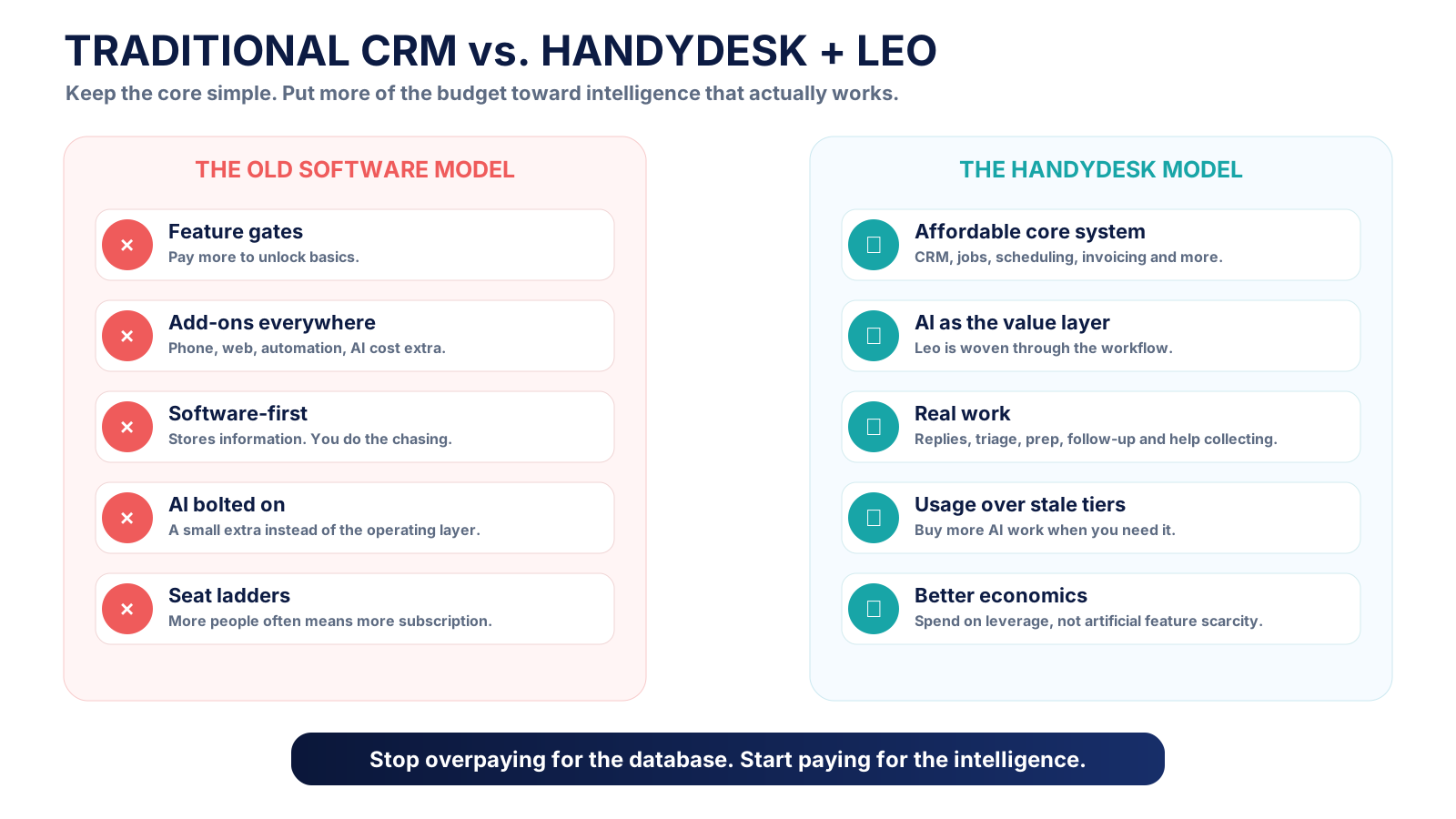
CRM, contacts, calendars, invoices, and records are the plumbing. They matter, but they should not consume the entire software budget before AI even starts helping.
From first inquiry to paid.
The handoffs matter more than the feature list. HandyDesk keeps the customer, conversation, schedule, job, invoice, and follow-up tied together.

Capture the lead
Keep inquiry source, customer details, messages, and photos together.
Move the work
Book it, schedule it, prepare for it, and keep the operator focused on today.
Close the loop
Connect completed work to invoicing and payment instead of creating another dead end.
Follow through
Keep follow-up, reviews, reminders, and unfinished work from disappearing.
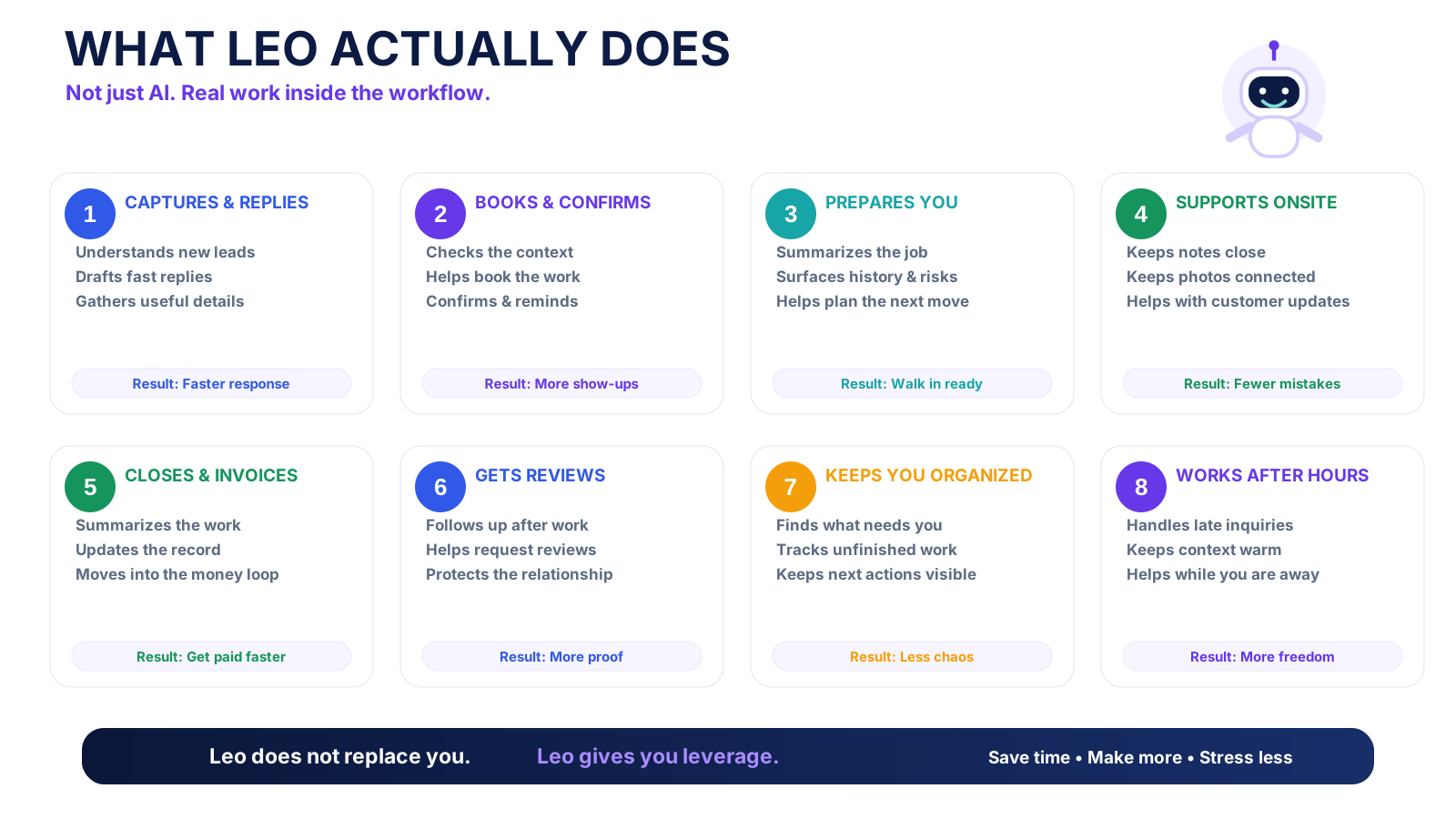
Leo does real work inside the workflow.
The point is not to give you another place to type prompts. Leo helps understand what is happening, prepare the next move, draft the response, and keep work moving.
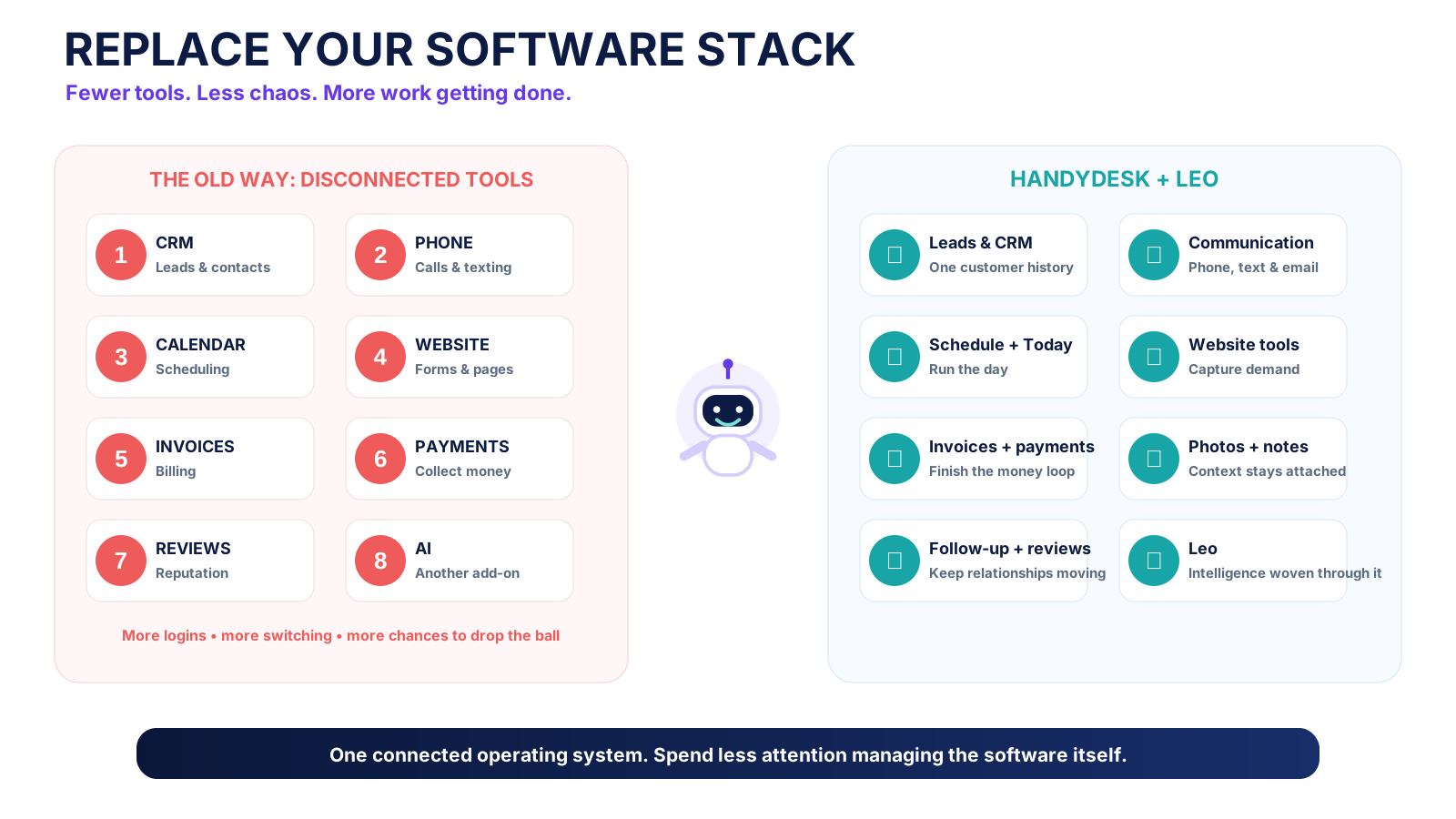
One business should not need eight logins.
Leads, CRM, communication, scheduling, website tools, estimates, invoices, payments, notes, photos, follow-up, reviews, and Leo belong in one operating system whenever possible.
Morning lead. Midday job. Evening wrap-up. Same context.
HandyDesk is designed around the rhythm of a real operator's day. Leo stays connected from the first message through the work, the money loop, and what is waiting tomorrow.
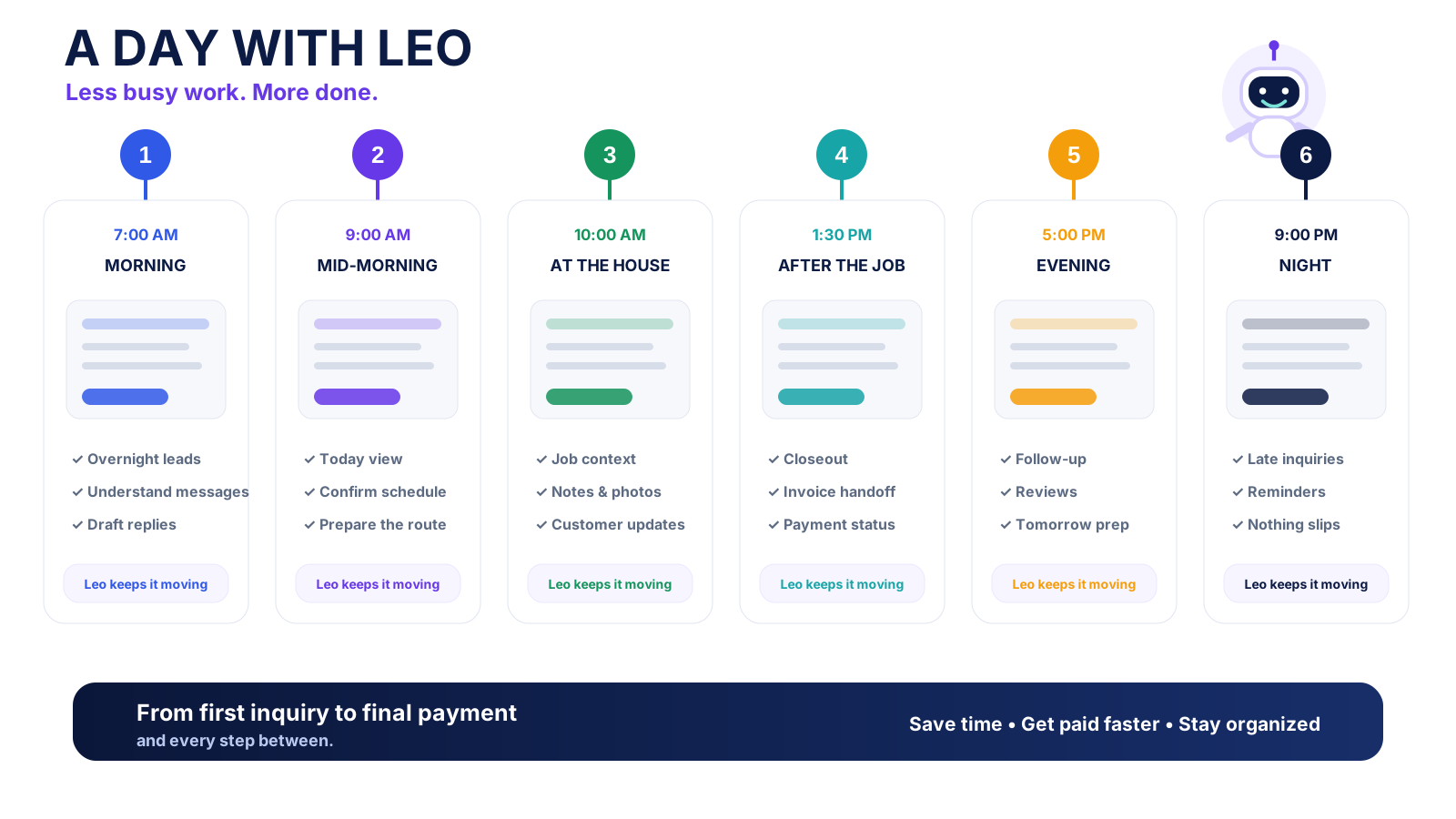
If you get a lead, book work, do the job, and get paid, HandyDesk can probably run it.
HandyDesk focuses on the shared operating workflow across local service businesses instead of building a separate CRM for every trade.
Start free. Choose the lead capacity you need.
Core HandyDesk is free. Operator is $100/month with expanded HandyDesk agent capacity, a business number, a custom domain, and 50 Thumbtack leads. Choose Operator + Unlimited for $150/month total.
HandyDesk Free
$0Run the core business without a software subscription.
- Clients, leads, jobs, calendar, estimates, invoices, and reporting
- Limited HandyDesk agent usage included
- Stripe fees + 0.6% HandyDesk fee
Operator
$100The connected operating desk with 50 monthly Thumbtack leads.
- All standard HandyDesk features
- Expanded monthly HandyDesk agent allowance
- 50 Thumbtack leads per month
- One HandyDesk business number
- Website and custom domain connection
- Stripe fees + 0% HandyDesk fee
Operator + Unlimited
$150$100 Operator + $50 Unlimited upgrade.
- Everything in Operator
- Unlimited Thumbtack leads for one business
- Expanded monthly HandyDesk agent allowance
- One HandyDesk business number
- Website and custom domain connection
- Stripe fees + 0% HandyDesk fee
One account for HandyDesk and Leo. Review the prorated charge before changing an existing paid plan; overlapping lead charges are replaced after payment is confirmed.
Only need leads? Leo Free includes 10 Thumbtack leads each month, Leo is $50/month for 50, and Leo Unlimited is $100/month for one Thumbtack business. The Free plan needs no card. Monthly lead allowances reset, with no automatic refills or overage charges.
Optional Call Bridge is $30/month for 500 connected conversation minutes. Activation is in progress; purchases open after provider permissions, rates, and calls on our own number are verified. The included HandyDesk business number and Call Bridge are separate benefits.
Teams & Enterprise: talk to us about multiple crews, locations, or support needs.
Stripe bills your business its actual processing fees, including any fixed per-transaction fee. HandyDesk adds 0.6% on Free or 0% on active Operator to the total invoice payment, including any tip. HandyDesk does not add another $0.30.
Add 20% of Operator's monthly HandyDesk agent allowance. One-time purchase.
Add one full monthly HandyDesk agent allowance. One-time purchase.
These purchases add HandyDesk agent capacity for estimates, jobs, invoices, and other business work; they do not refill Thumbtack leads. Purchased agent usage carries forward until used, never refills automatically, and is used only after the current monthly allowance.
Proof should come from real work, not polished demos.
Leads while you sleep
Leo can help receive, understand, and move inquiries while the operator is away from the desk.
Less attention tax
Simple acknowledgements and completed actions should not keep yelling for attention.
Money stays connected
The workflow is designed to keep the job, invoice, payment state, and follow-up from becoming separate islands.
Operator stays in control
Consequential customer-facing and record-changing actions remain reviewable.
Common questions.
How much does HandyDesk cost?
HandyDesk Free is $0 per month. Operator is $100 per month and includes 50 Thumbtack leads. Operator + Unlimited is $150 per month total for all Operator features and unlimited Thumbtack leads for one business. Teams & Enterprise uses custom pricing. Optional HandyDesk agent usage purchases are $20 or $50.
What is included with Operator?
Operator includes all standard HandyDesk features, an expanded monthly HandyDesk agent allowance, 50 Thumbtack leads per month, one HandyDesk business number, a website with custom domain connection, and Stripe fees + 0% HandyDesk fee. Unlimited Thumbtack leads are a $50/month upgrade, making the total $150/month. Free adds a 0.6% HandyDesk fee to Stripe fees. Stripe bills your business its actual processing fees, including any fixed per-transaction fee. HandyDesk adds 0.6% on Free or 0% on active Operator to the total invoice payment, including any tip. HandyDesk does not add another $0.30.
Do I need Operator to use HandyDesk?
No. Clients, jobs, calendar, estimates, invoices, records, reporting, and limited HandyDesk agent usage remain available on Free.
What happens when monthly usage runs low?
Thumbtack lead capacity and HandyDesk agent capacity are separate. At lead 11 on Leo Free or lead 51 on Leo, replies pause until you choose an upgrade or the monthly allowance resets. HandyDesk agent purchases add capacity for estimates, jobs, invoices, and other business work. Purchased agent usage carries forward, never refills automatically, and is used after the current monthly agent allowance.
Is Leads by Leo a separate plan?
You use one account for both apps. Standalone Leo plans are Free with 10 Thumbtack leads each month, $50/month for 50 leads, or $100/month for Unlimited on one Thumbtack business. Operator includes 50 leads; its Unlimited upgrade is $50/month, for a $150/month total. A lead covers the Thumbtack reply, client text, and lead follow-ups. Estimates, jobs, invoices, and later client work use HandyDesk agent capacity separately.
Does the included number provide Call Bridge?
The HandyDesk business number and Call Bridge are separate benefits. Optional Call Bridge is $30/month for 500 connected conversation minutes. Activation is in progress; purchases open after provider permissions, rates, and calls on our own number are verified.
Which service businesses can use HandyDesk?
Small service businesses that share a lead-to-paid workflow, including junk removal, cleaning, lawn and landscaping, pressure washing, painting, detailing, property maintenance, plumbing, electrical, HVAC, pool service, appliance repair, moving labor, contractors, and many others.
Run the core free. Upgrade when the complete system earns its keep.
Move to Operator when the business number, custom domain, no HandyDesk card transaction fee, and larger Leo allowance are worth more than $100 a month to your business.